


Will You Really Miss the Start Button in Windows 8?

The case for Windows 8 is easy to make for touch-screen tablet devices. With its colorful live tiles and inviting design, Windows 8 was made for a hands-on experience. But for enterprise users, a familiar and consistent desktop environment is important. Rest assured, the desktop interface for Windows 8 is as reliable as its predecessor’s.
I use Word, Excel, Publisher, Outlook, OneNote, Avid Studio, Quicken, LogMeIn Rescue, Photo Gallery and Skype — to name a few — all day, every day, on three side-by-side, 25.5-inch screens. The only time I see the touch interface is when I am searching for something, when I first turn on the computer or when I purposely go looking for it.
I began using a beta version of Windows 8 in September last year. With the consumer preview release in early February, it became my daily driver. I would play around a bit with the new interface (wondering how it would evolve when the apps started arriving), then quickly return to the classic desktop when it was time to get back to work. It’s that easy.
But despite the familiar desktop, that One Big Change remains: no more start button.
Life Without Start
There are a lot of pundits who would have you believe that the end of the start button is the end of the world — or at least, the end of Windows. I was confused in the beginning as well, but after I pinned all my programs to the taskbar in the desktop environment, I was back to business as usual, in no time.
When users first start using Windows 8, many go back and forth between the touch interface and the desktop environment. This would confuse anyone, because these are two very different animals. The best way to learn the touch interface is to ease into it. At some point, switching back and forth won’t take any thought. But like learning a new language, it takes a while to become fluent.
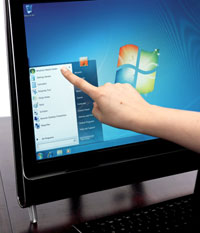
How quickly users adapt will depend largely on how often they used the start button in earlier versions of Windows. People who used the start menu to launch programs may have a harder time than those, like me, who used it mainly for search. Microsoft’s own user telemetry determined that most people didn’t use the start menu much at all.
For more than a few IT guys, who have their own way of talking users through common problems, life has most certainly changed. I have a good friend who is an IT consultant; he helps small businesses and consumers troubleshoot their issues through remote-access software. He is a little freaked out about Windows 8, but I’m not worried at all. One of us is wrong, but both of us will have to adapt.
With Windows 8, you either adapt a lot or a little (or not at all, and you stick with Windows 7). The choice is up to you, unless someone else (your boss?) decides for you.
Windows 8 is making a big splash because it’s introducing new user paradigms; let’s wait for the waves to settle a bit so we can see where we are all headed.



