


Where Do You Start with BYOD?

To early mobility fans, notebook computers are old hat. Mobile workers want their companies to provide the newest smartphones and tablets ASAP. And if a company doesn't have a bring-your-own-device (BYOD) policy in place now, they’d better get one, especially with the recent release of the iPhone 5 and the rumored launch of an iPad mini.
Of course, a business that buys its employees new smartphones and tablets whenever a new version comes out will be exalted. But if employees haven't been coming in asking for subsidies to buy their own devices, or at least demanding support for whatever brand of smartphones and tablets they themselves buy, the iPhone/iPad updates will likely trigger a flood of BYOD decisions.
Although BYOD might sound good like a good idea as long as employees spend their own money on shiny pocket toys, managers might be surprised when they add up the cost of potentially supporting every brand of smartphone and tablet on the market. If companies let workers bring their own devices, and security is required on company networks, then support is needed — for all of those devices. Is your company ready for that? How about your IT infrastructure?
Preparing for the BYOD Avalanche
This is the reason many small- to medium-sized companies provide a list of approved mobile devices to employees who want to purchase their own units. Unfortunately, if a company has a restrictive list of options, some people will be unhappy: Allowing only Samsung and HTC phones that run Android will make the iPhone fans angry.
Beauty and the BYOD
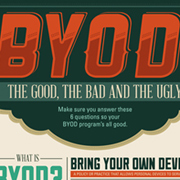
Learn more about how your organization can deploy a smart, secure BYOD plan that makes mobility a more beautiful experience for all in our infographic.
If only iPhones are supported, the Android fans will be angry. If Windows 8 on tablets and smartphones turns out to be as nice as some early reviews say, that’s another fan base to consider. Also, Windows devices will fit more easily with the network-management tools many companies already have, so that’s another reason to keep Windows devices in mind when crafting the approved mobile device list.
But before deciding, check your management-software options. If Symantec is in house, maybe Symantec Mobile Management's supported device list will make your decision easier. If it’s McAfee, which devices does McAfee Enterprise Mobility Management support? There's your starting place. If you need a new direction, then perhaps MobileIron would be a better fit.
Once the BYOD door is opened, it’s necessary to define what types of devices fall under the "own device" guidelines. Is it just smartphones, or perhaps tablets, ultrabooks or desktops? Or maybe it’s desktop NAS devices for workgroups.
Figuring out which devices fall under the BYOD category might not be too hard, but figuring who owns what data, the employee or the employer, is a bit thornier. When employees leave the company, what’s the plan for handling the company data that’s on their mobile devices?
Company-provided devices, of course, get turned in when people leave. But BYOD means the employees bought the devices—and will keep them. How do you wipe only your company data from their remote devices? You need to define that policy before you go down the BYOD road. One business owner I know tells employees she will wipe their devices back to factory default before they leave, period.
That isn’t a viable option if you're already letting people bring their own devices. And implementing such a drastic policy after the fact means you should provide company alternatives for those who refuse to let you wipe their personal devices.
To me, the issue of how you delete company data from personal devices when employees leave is the key BYOD decision. Make this decision first. After that, the rest of the BYOD details will fall into place.
There is no right answer, but there is a right process: Define your device policy. Take stock of company and personal devices. See whether you can accommodate the majority of personal devices. Better to make the hard decisions on BYOD today rather than suffer security issues tomorrow.



