


Tune In to Cloud Management with Windows Intune

Microsoft’s new software as a service (SaaS) cloud management product is a tool for partners that provide support services in the small and medium business sector. Windows Intune integrates antivirus, Windows 7 Enterprise Edition, remote support, help-desk features and limited policy settings in a desktop client, all for a reasonable $11 per PC per month. The Microsoft Desktop Optimization Pack, which includes enterprise-class technologies such as application virtualization and client virtualization, can be licensed for $1 more.
The inclusion of a license for Windows 7 Enterprise Edition not only provides an ideal upgrade opportunity for SMBs still on XP, but also brings Enterprise Edition–only features, such as BitLocker drive encryption and AppLocker application whitelisting. These would not usually be accessible to small organizations buying professional versions of the operating system. And providing your Intune subscription remains active, upgrade rights to the latest version of Windows are also included.
First Steps with Windows Intune
The Intune management console runs in a browser and is based on Silverlight. The first step to take is to install the client software on a Windows 7 PC so that it can be managed. The Intune client can be downloaded from the System Overview screen in the management console and, if required, distributed using Group Policy as a Windows Installer .MSI file.
Running the client executable on a PC installs all the necessary Intune components — including the Intune Center from which users can request remote support and scan for viruses or updates — and automatically locates the remote management server. Within a few minutes the client device appears in the management console. The Microsoft Forefront Endpoint Protection client, which is based on Microsoft’s enterprise Forefront Endpoint Protection engine, then updates with the latest virus definitions.
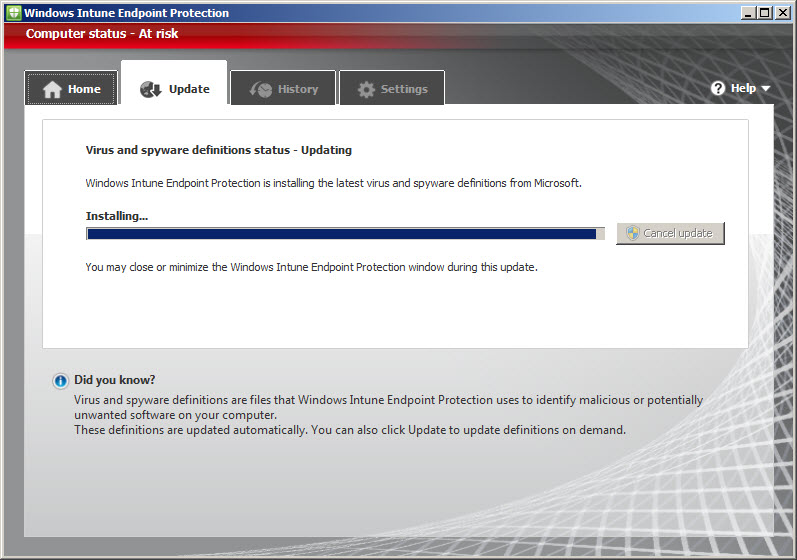
Figure 1 – The Windows Intune Endpoint Protection Client
Windows Intune Management Console
Intune can manage up to 20,000 computers, and the number of available licenses is automatically reduced every time the client software is installed on an endpoint. The console is easy to work with, responsive and intuitive. Computers can be organized by group, which is especially useful for applying Windows Updates or policy settings to a limited selection of machines.
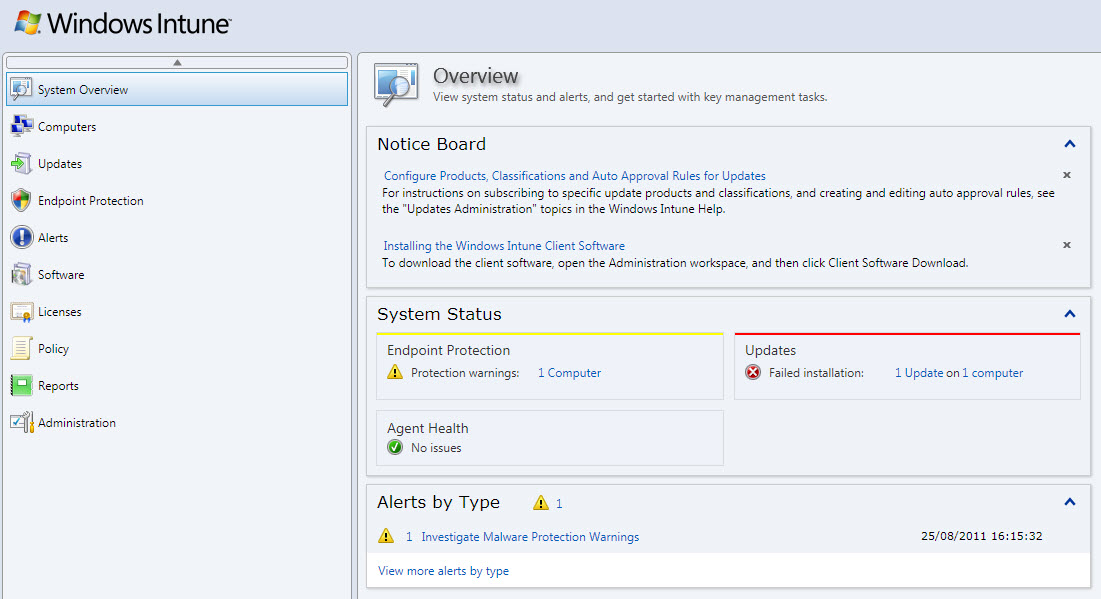
Figure 2 – Windows Intune Management Console
The management console suffers from some of the same difficulties as its onsite big brother, System Center Configuration Manager. There’s no way to manually kick off a client scan to determine what software is installed, for instance. This might leave more impatient sysadmins wondering whether Intune is actually working. Naturally, as with SCCM, it’s usually just a matter of time before data comes flooding through to the management console.
There’s a service-level agreement of 99.9% uptime; and should Intune clients go offline, all historical data is stored in a database so that the management console can still be used to run reports and other activities. Microsoft also offers a multi-account console for partners who want to manage several clients from a single window.
Intune has a license-tracking database, which allows sysadmins to either upload or manually enter information on legally purchased licenses for Microsoft software and generate reports. Microsoft markets this as “helping small businesses stay within the law,” though this feature is likely to be of more appeal to larger organizations in which licenses can be much harder to track.
Remote Assistance in Windows Intune
Microsoft Easy Assist provides remote support technology via Live Meeting. When users request help from an administrator through the Intune Center, an alert appears in the management console. Notification rules can also be configured to send an e-mail to selected recipients when the management console receives an alert. If you select “Click here to take action” next to the support alert, you’re redirected to livemeeting.com. To continue, the administrator must install Easy Assist (Windows only) on their computer, which allows desktop sharing, file transfer and chat with the remote user.
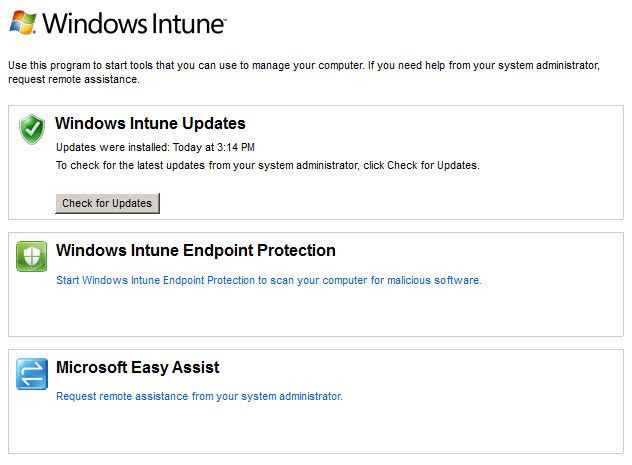
Figure 3 –Windows Intune Center
Windows Updates in Windows Intune
Intune wraps up a Windows Server Update Services experience for both users and administrators, providing mostly the same features as WSUS on Windows Server. Patches can be deployed by product category and severity rating, and automatic approval rules can be set up in the administration console.
Reporting is easy and comprehensive. Reports are available for Windows updates, software and licenses, and can be configured for individual needs. Once generated, report data can be sorted by column and printed or exported to .CSV (for use in Excel) or as an HTML file.
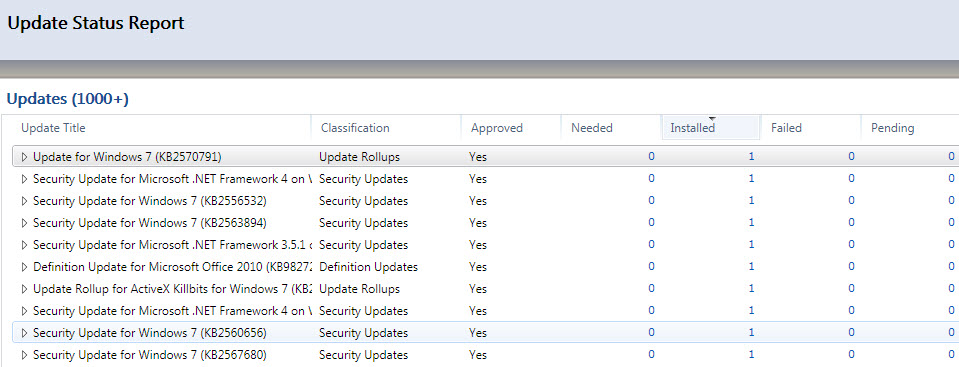
Figure 4 – Windows Intune Report
Policy Management in Windows Intune
Policies are currently limited to managing Intune agent settings (such as updates and antivirus), support information in the Intune Center, and Windows Firewall. Any identical Active Directory Group Policy setting takes precedence over Intune policy should a client machine be a member of a domain. The lack of policies available in this first incarnation of Intune is a little disappointing, but there’s plenty of room to add more settings in future releases, and Intune can be used alongside AD Group Policy if more comprehensive management is required.
Windows Intune Hits the Right Notes
Windows Intune works well from a technical perspective, providing partners with a cloud infrastructure from which to manage and monitor PCs at remote sites. But there are two major drawbacks. First, the client software cannot be installed on a server operating system. While Microsoft may intend for Intune to be deployed in small businesses without an onsite Small Business Server, the reality is that many organizations run a hybrid cloud/onsite solution and won’t be able to manage or monitor their local server using Intune, which is a major shortcoming for many partners.
Second, the update facility applies only to Windows patches, leaving no way to update third-party programs. That leaves a sysadmins with a technical challenge of plugging holes in those applications. With Intune slated to eventually become part of Office 365, Microsoft is already working on the second incarnation of the product, now in beta, due to be released to manufacturing by the end of 2011.



